Athletics Transforms Lives
…so weWe provide results, team, and event management tools to help coaches and athletes thrive.
Coaches, Event Directors, Timers, Athletes, Parents, and Fans, begin taking advantage of our tools today!
Create Free Account Learn MoreOur goals are to save coaches, event directors and timers countless hours of time and to inspire athletes to perform their best. We do this by providing top-notch tools to everyone.

For Coaches
Browse our extensive listing of events, add your season calendar, easily submit entries, organize and post results, compare season improvements, and more.

For Event Directors & Timers
Tools to invite teams, communicate with coaches, collect entries, receive entry fees, and more. After the event, save coaches time by uploading official results.

For Athletes, Parents & Fans
Look up results to follow performance improvements, compare rankings, and set goals. Stay up-to-date on travel times, event start times, and other important meet details.
Our Track Record
#1 HS Event Registration System in the Nation
86,393
Active Coaches
Our ever-growing community of coaches drive this resource. They upload official results, maintain rosters, add calendars, and everything else that makes this site an invaluable service for everyone.
7.9 Million
Individual Entries This Year
In the last year we have collected a total of 7.9 million entries online, accounting for 13,123 events. This has saved coaches and event directors countless hours of paperwork.
What Event Directors Say About Us

“As meet director for one of the largest Track invitationals (Pasco Invite) in the Pacific Northwest for 50 years and meet director for many other Track and XC meets, I have seen the evolution of meet management. For me, the best tool has been Athletic.net, that I have used since 2005. With the large database of athlete marks, it is very easy to create a meet with true entry marks in a short amount of time.”
John Crawford
Washington State XC Championships Meet Director
Pasco Invite Meet Director

“Athletic.net, since 2004 when Seaside High Track and Cross Country started using the system, has continued to take a tremendous burden off coaches shoulders with the ease of entering athletes in events, managing meets and getting results out accurately and quickly. The BEST part of Athletic.net is the enthusiasm it has built in our sport by allowing athletes to track their own improvements, see where they stack up on lists from grade level to school all time to state and national level. Kids, from all skill levels, love it. We have been able to build very accurate all-time lists with the option of going back in years to add performances.”
Neil Branson
Former Seaside HS TF & XC Coach
Three Course Challenge Meet Director

“As a meet director I can’t imagine life without Athletic.net. It allows me to focus more on coaching and less on collecting entries. Results are online by the time the kids finish dinner. This quick access to results increases athlete motivation. As a coach, the site enables me to share the tradition we have built at Jesuit in XC & Track with all current, future & past athletes. Having access to school records and personal records motivates our athletes and keeps our Alumni connected. Athletic.net has become THE place our program communicates with our athletes, parents, alumni & other coaches."
Tom Rothenberger
Jesuit HS TF & XC Head Coach
Nike/Jesuit Twilight Relays
PDXC Middle School State Championship
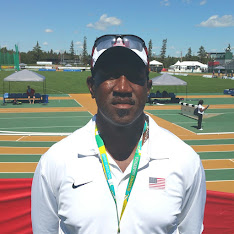
"As a timer with a concentration in youth as well as high school, we have found Athletic.net easy to use and with a great price point. In addition, its advancement system is far superior than any product on the market. It has allowed us to manage multiple championships and their advancement with a few key strokes. No more emailing Hytek databases back and forth and then creating advancer files. Finally… Having the ability to easily contact one coach or all coaches has greatly enhanced my ability to communicate with teams/athletes/parents attending our competition. Keep up the good work guys! We love it!"
Byron Turner
AdkinsTrak Timing Associates
United Southern Express Track Club Head Coach

"Athletic.net has been an integral part our track program since 2005. We use it to communicate with our large team of 160+ middle schoolers. Our athletes love using the site to track their progress throughout the season and year to year, as well as to compare their marks to school and age group records. Finally, our season finale, the Oregon Middle School Meet of Champions, would simply not be possible without Athletic.net. Athletes throughout the state eagerly check the site each week to see if they have earned a place in the meet, which is based on performance lists tabulated by the site."
Coulter Rose
Linus Pauling Middle School Head Coach
Oregon Middle School Meet of Champions

